480p · 8s · 9:16
01
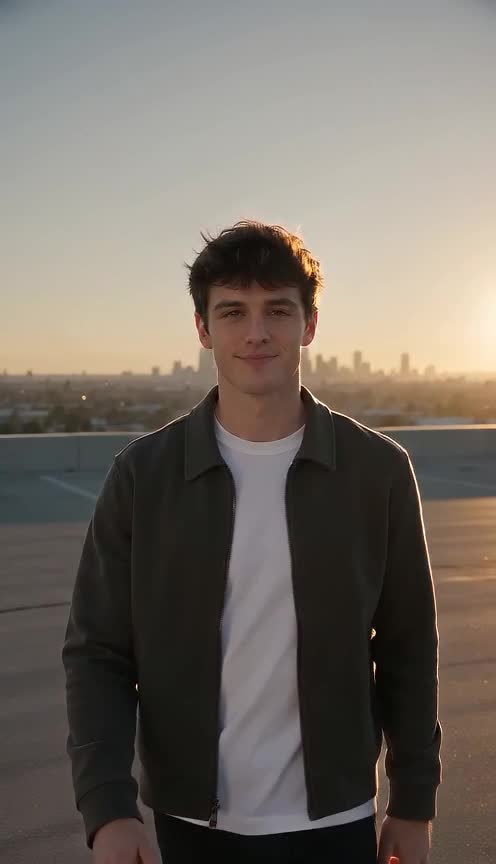
The walk-up
An empty rooftop at sunset and you heading for the lens.
One photo, two cards, one car
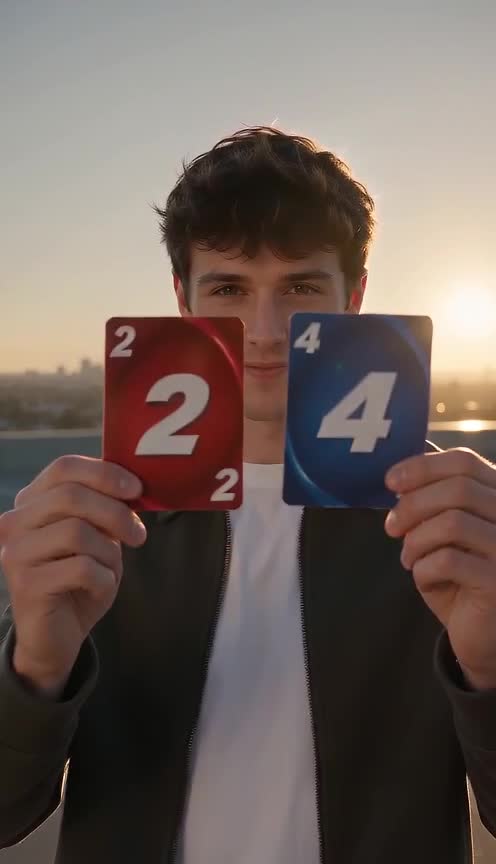
The 24 card video is a ten-second reveal: you walk toward the camera on a sunset rooftop, flick two cards past the lens and a sports car is parked behind you. Add one photo of you, your cat or your dog and get that reveal in about eight seconds of video.
A little inspiration
A few seconds. A whole new scene. Explore the details that give this idea its character.
An empty rooftop at sunset and you heading for the lens.
A red 2 and a blue 4 whip past the camera.
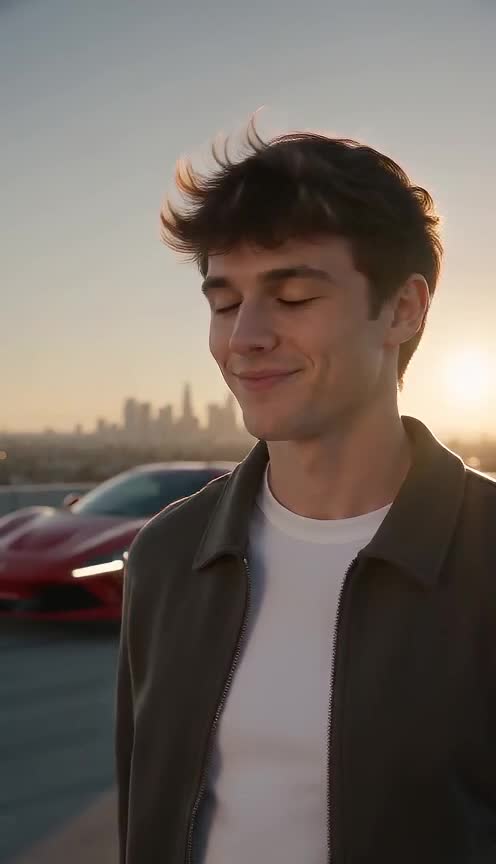
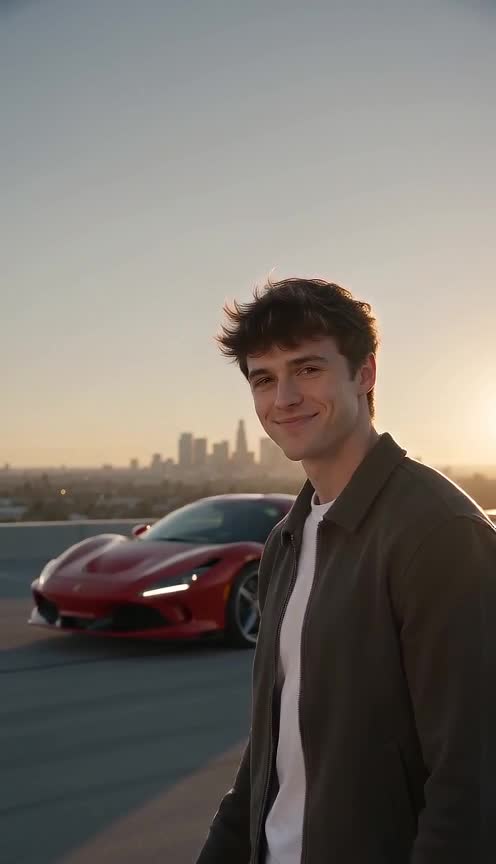
The cards are gone and a sports car sits behind you.
Turn, point at the car and let it take the last shot.
Made for your next idea
See the credit cost before you generate. Failed generations are refunded.
Use your credits across the creative tools in your account.
Change duration, resolution and framing without leaving the editor.
Try available models with the same photos. Pricing updates with your settings.
The short answer
Flick a 2 and a 4 at the lens and a sports car appears behind you. One photo, eight seconds, vertical. The 24 card video is a ten-second reveal: you walk toward the camera on a sunset rooftop, flick two cards past the lens and a sports car is parked behind you. Add one photo of you, your cat or your dog and get that reveal in about eight seconds of video.
Open the video studioThe 24 card video, also searched as the 24 card trend, the 24 car trend or the unforgettable car trend, is a short reveal clip. Someone walks toward the camera, holds up a card with a 2 and a card with a 4, flicks them at the lens, and a sports car is suddenly parked behind them. The "24" is the two cards. It began as a real clip filmed in a parking lot and then spread as AI versions in which people, cats and dogs get the same reveal. This page is an independent, original take on that format and is not affiliated with the creators of the original clip.
Every generation is a new model output. The card flick, the timing of the car appearing and the final point can differ between runs, and the numbers on the cards are the hardest detail for a video model to keep exact. If a run misses the reveal or the cards look wrong, generate again with the same photo. Watch the clip at full size with sound on before posting.
release.24-card-video.problemBody
release.24-card-video.highlights.0.body
release.24-card-video.highlights.1.body
release.24-card-video.highlights.2.body
release.24-card-video.highlights.3.body
Three simple steps
A sharp, well-lit photo of you or your pet looking at the camera. One subject is enough.
Pick a photo the model can use. There is one photo slot. Use a sharp, well-lit picture where the face is large and looks toward the camera. A head-and-shoulders photo works well, and a waist-up photo gives the arms room for the card flick. Pets work too: choose a photo where the animal looks straight at the lens. Avoid group photos, because the model has to decide which subject performs the reveal.
The rooftop, the card flick, the red sports car and the camera move are fixed, so every run lands on the same reveal.
Cost and settings. The default is an eight-second 480p vertical clip, which is 48 credits at 6 credits per second. The settings panel under the uploader lets you change length, resolution and model, and the credit estimate beside the generate button updates before you confirm. Failed jobs return their credits automatically.
Save the vertical MP4 and post it to TikTok, Reels or Shorts. Add your own music if you want a track.
Find your pace
Start with the default length for this scene. Available durations and the final credit estimate depend on the model and settings you choose in the editor.
The generation asks for ambient rooftop sound and a soft whoosh, not a commercial song. The result is not guaranteed to match any particular track. If you want the sound people use for this trend, download the MP4 and add a track you are allowed to use in your editing app or inside the platform you post to.
| Length | A good fit for |
|---|---|
| 4 seconds | One clear gesture, reveal or visual punchline. |
| 8 secondsScene default | A small sequence with space for an emotional turn. |
| 10 seconds | An unhurried moment, with more time for movement. |
These are creative pacing suggestions. Check the editor for the lengths supported by your selected model. A longer clip can give an action more time to unfold, but it does not guarantee a better likeness or a cleaner transition. Choose the smallest format that gives your idea enough space, then review the complete result before deciding whether another take would be useful.
An open creative starting point
This is the prepared prompt for this feature. Use it as a starting point, or add an optional idea in the editor to make the scene your own. Your reference photos guide the cast; the model interprets the movement and atmosphere.
Vertical clip. An empty rooftop parking lot at golden sunset, long warm shadows, a few distant city lights. The subject from the reference image walks toward the camera, holds a red card showing a 2 and a blue card showing a 4 close to the lens, then flicks both cards at the camera so they whip past it. With the cards gone, a glossy red sports car is parked right behind the subject. The subject looks straight into the camera with a confident smile, turns and points at the car. Handheld chest-height camera, cinematic warm light, ambient city sound and a soft whoosh when the cards fly. If the reference shows an animal, the animal does the same beats. Keep the face consistent with the reference image. No on-screen text, no captions, no logos, no watermark.
Thoughtful casting
Choose your own images or photos you have permission to use. A clear face, even light and a simple crop give the model a useful reference. Make sure everyone pictured is comfortable with the fictional scene and with the way you plan to share it.
The scene is fixed on purpose so you do not have to write a prompt: a golden-hour rooftop parking lot, a red 2 and a blue 4, a flick at the lens, a glossy red sports car that appears behind the subject, and a final point at the car. It runs eight seconds vertically at 480p and asks the model for ambient city sound and a whoosh when the cards fly. The car and the setting are the same every time. If you want a different car or location, use the open video studio and describe it yourself.
release.24-card-video.audienceBody
Before you upload
Selecting a photo starts its upload. Check the file and your permission to use it before choosing it in the editor. The image preview helps you confirm which reference you selected; it does not mean the image remains only on your device.
Creating a video requires sending the reference images and scene direction through the generation service and its selected provider. Review the privacy policy for information about how uploads, generated files and account information are handled.
Review the entire result before you download or publish it. Let the people pictured see the clip, respect their preferences, and make the fictional, AI-generated nature of the scene clear when viewers might otherwise mistake it for a real event.
This is an AI-generated scene made from a reference photo, not footage of a real car or a real place. Only use a photo of yourself, your pet, or someone who agreed to take part, and label the clip as AI-generated when it could be mistaken for real footage.
Subscribe for monthly credits, or buy a one-time credit pack.
Basic
For trying ideas and short clips
Pro
PopularFor creators publishing every week
Max
For high-volume production
Questions, answered
A short reveal video: you walk to the camera, flick a card with a 2 and a card with a 4 at the lens, and a sports car is parked behind you. The 24 refers to the two cards. It started as a real clip and now spreads as AI versions.
It is the same format. People search for it as the 24 card video, the 24 card trend, the 24 car trend, the unforgettable car trend and the 2 and 4 card trend. This page generates an original version of the reveal from your photo.
Upload one photo of yourself or your pet, press generate and download the eight-second vertical MP4. The scene, the cards and the car are prepared for you, so there is no prompt to write.
Yes. Choose a sharp photo where your pet looks at the camera. The animal performs the same walk, card flick and point.
Not on this page: the car is a red sports car and the setting is a sunset rooftop every time. Open the video studio if you want to write a different car, color or location.
Eight seconds at 480p is 48 credits at the default rate of 6 credits per second. The exact amount is shown on the generate button before you confirm.
It includes generated ambient sound and a whoosh, not a commercial song. Add a track you have the right to use after downloading the MP4.
Choosing a photo uploads it so the video service can use it as a reference. See the privacy policy for storage and provider handling.
Choose a sharp image with one clearly visible face. Avoid sunglasses, heavy filters and cropped foreheads. Keep some shoulder and background space so movement has room to develop. Use fictional characters or people who have agreed to the transformation.
Play the full clip. Check the face, hands, clothing and background through the middle and ending. A good opening image does not guarantee continuity. Change one setting at a time when making another take.
Download the finished MP4 and check it in your editor. Add captions where they do not cover faces. If you add music, use audio you own or are allowed to use on the destination platform. Generated audio does not include a licensed trend soundtrack.
Find another story for your photos, compare the models, or build a scene of your own.