
From a portrait to a performance.
A still image supplies appearance; the prepared scene adds rhythmic movement, a red-lit entrance and a lively fictional crowd. Each result is newly generated.
One photo, one verse
Turn one portrait into a street-side performance. Red light, a close-up, and a crowd behind you: the scene is ready for your leading role.
One scene, different possibilities. Sample clips show the scene; each generation is a new result.
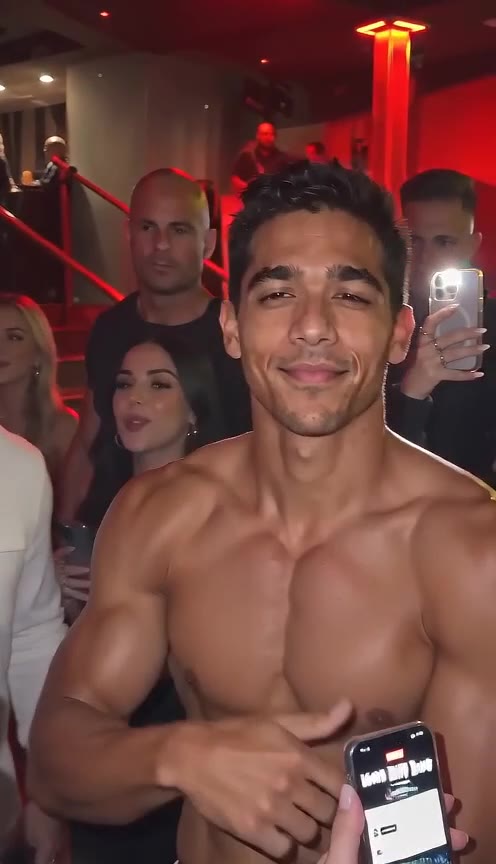
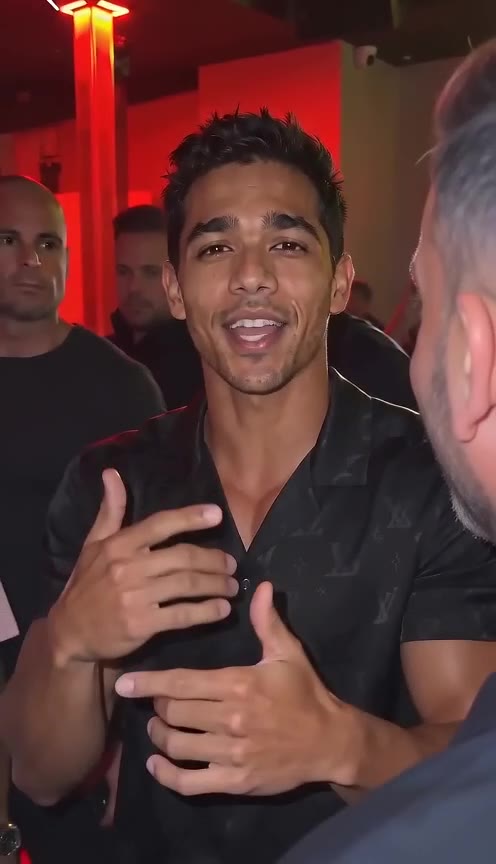
A still image supplies appearance; the prepared scene adds rhythmic movement, a red-lit entrance and a lively fictional crowd. Each result is newly generated.
Build a short vertical performance for a moodboard, an original character or a social edit. Review the movement before adding your own sound and captions.
Use a clear solo reference with visible facial features and some room around the shoulders.
Generate a new freestyle scene rather than replacing a face in existing footage.
The default 9:16 frame keeps the performer at the centre of a four-second clip.
Inspect gestures and facial detail in the finished result. Identity and movement can vary.
See the credit cost before you generate. Failed generations are refunded.
Use your credits across the creative tools in your account.
Change duration, resolution and framing without leaving the editor.
Try available models with the same photos. Pricing updates with your settings.
01One clear photo of you, a friend who said yes, or your pet. Nothing else to fill in.
02Street, red light, speaker, crowd and camera shake are locked in, so you get the same look every run.
03Download the vertical MP4 with audio and drop it straight into your feed.
Night street outside a small restaurant, red sign and lanterns on wet pavement. You are centre frame, rapping into the lens with sharp hand gestures. A friend holds a portable speaker up beside you, nodding to the beat. A small crowd films on glowing phones while the handheld camera drifts.
The scene, camera moves and sound are written for you. Your photos are the only variable, which is what keeps the result consistent.
Only upload a photo of yourself, of someone who agreed to appear, or of your own pet. The template is an original street scene and does not reproduce any real performance.
Your images are uploaded and shared with the generation provider to make your clip. Only use photos you own or have permission to use. See our privacy policy for how uploads are handled.
PrivacyNo. It is an independent take on a street-freestyle video format that spread online. Nobody real is recreated, named or implied — the only subject in the clip is the photo you upload.
Pets are explicitly allowed here. A clear, well-lit photo of a dog or cat gets the same staging: red light, speaker, crowd, camera in their face.
Four seconds at 480p is 24 credits, billed at 6 credits per second. The live cost is shown on the generate button, and failed runs are refunded.
Yes. The model generates synced audio by default, so you get street noise and a beat under the performance without a separate step.
Open the settings panel to switch clip length, resolution, aspect ratio or model. 9:16 at 480p is the default because it is what feeds want and what costs least.
Video models are not deterministic: the same photo and the same scene still give a slightly different take each run. Generate twice and keep the one you like.
Choose a sharp image with one clearly visible face. Avoid sunglasses, heavy filters and cropped foreheads. Keep some shoulder and background space so movement has room to develop. Use fictional characters or people who have agreed to the transformation.
Play the full clip. Check the face, hands, clothing and background through the middle and ending. A good opening image does not guarantee continuity. Change one setting at a time when making another take.
Download the finished MP4 and check it in your editor. Add captions where they do not cover faces. If you add music, use audio you own or are allowed to use on the destination platform. Generated audio does not include a licensed trend soundtrack.