
Give a still portrait somewhere to go.
Turn a neutral photo into an original party entrance. The prepared scene supplies warm light, crowd movement and a moment of recognition for the camera.
One photo, one grin
One photo puts you at the heart of a candlelit celebration. A raised glass, a moving crowd, and a camera that follows your lead.
One scene, different possibilities. Sample clips show the scene; each generation is a new result.
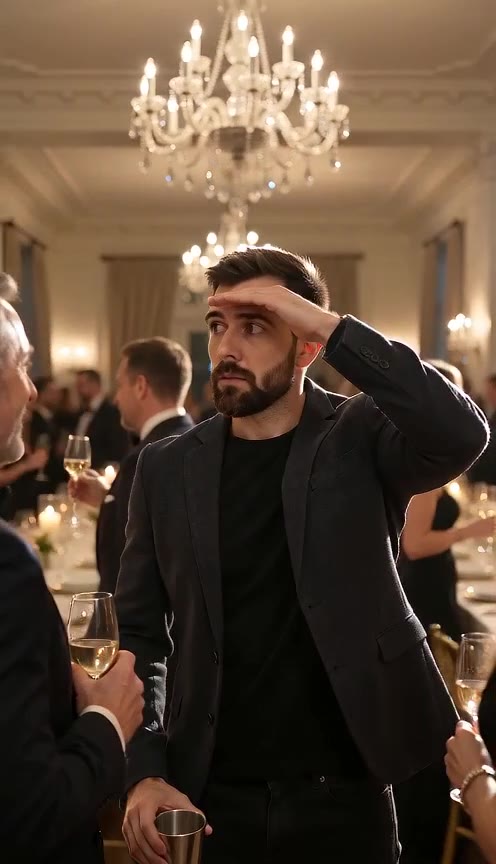
Turn a neutral photo into an original party entrance. The prepared scene supplies warm light, crowd movement and a moment of recognition for the camera.
Use a fictional lead for a party invite, a playful reaction or an atmospheric vertical post. Add your own captions and permitted music after download.
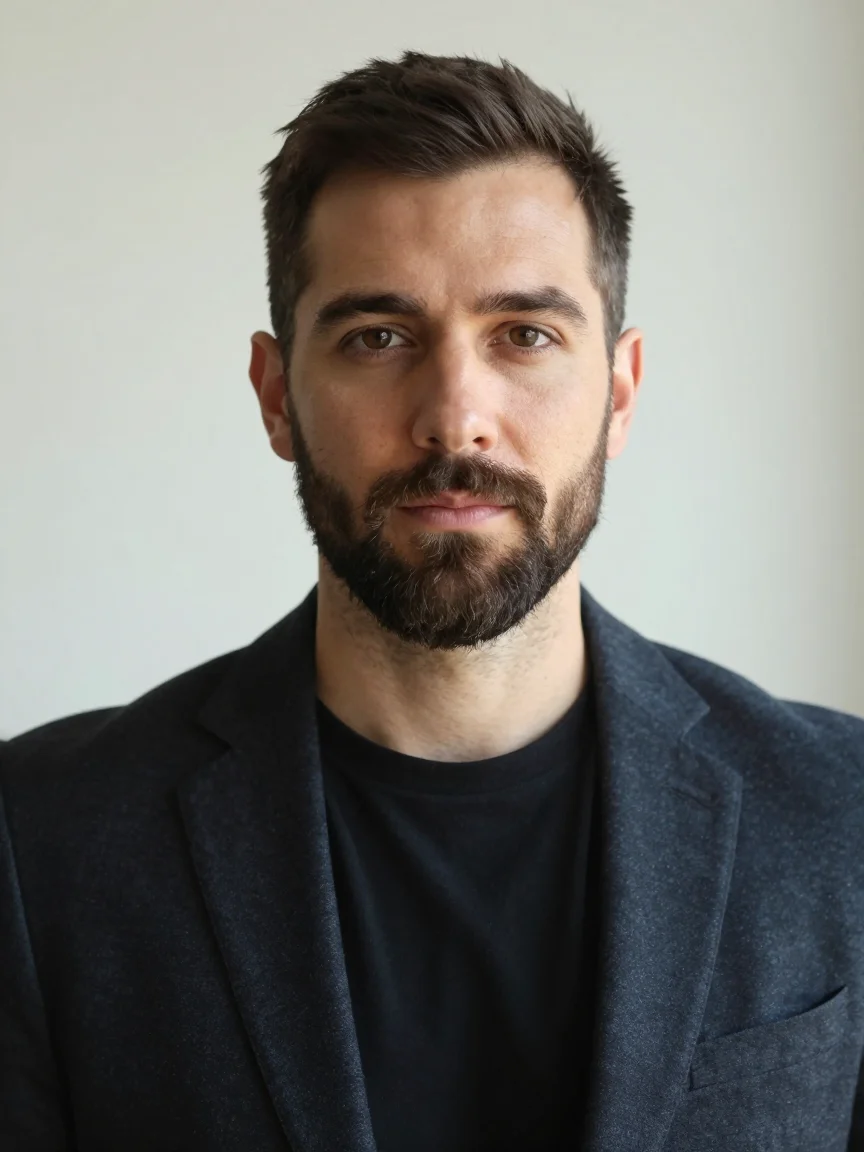
A solo portrait guides the person at the centre of the scene.
Warm lighting, a lively room and a camera-facing gesture establish the mood.
The default four-second 480p clip costs 24 credits. Check the live estimate before generating.
Generated ambience can accompany the scene. Add licensed music separately in your editor.
See the credit cost before you generate. Failed generations are refunded.
Use your credits across the creative tools in your account.
Change duration, resolution and framing without leaving the editor.
Try available models with the same photos. Pricing updates with your settings.
 01
01Front-facing, well lit, face clearly visible. That is the only input the scene needs.
02Room, lighting, silver cup, crowd and camera move are fixed, so every run lands on the same beat.
03Download the vertical MP4 and post it as is — the grin lands right before the clip loops.
Packed private dining room at night, crystal chandeliers, warm amber light. You stand at the centre of the long table holding a small silver cup. You shade your eyes and scan the crowd like you are looking for someone. You find the lens, break into a grin, and wave with the cup still in hand.
The scene, camera moves and sound are written for you. Your photos are the only variable, which is what keeps the result consistent.
Only upload a photo of yourself, or of someone who agreed to appear in this video. This template is a generic party scene and is not a depiction of any real event or public figure.
Your images are uploaded and shared with the generation provider to make your clip. Only use photos you own or have permission to use. See our privacy policy for how uploads are handled.
PrivacyNo. It is a generic party scene we wrote ourselves — a dining room, a crowd, a silver cup and a wave. It does not recreate, name or imply any real person or event, and the only likeness in the clip is the one you upload.
Four seconds at 480p, which is 24 credits at the default rate of 6 credits per second. The exact cost is printed on the generate button before you confirm.
You can, but a head-and-shoulders portrait gives the model more pixels to work with for the face, which is the part the camera pushes in on.
Yes. The settings panel under the uploader lets you change clip length, resolution, aspect ratio and model. Longer and sharper cost more credits per run.
The photo is stored only so the video model can read it, and it is never added to any public gallery. Without permanent media storage connected, it goes to the provider’s temporary hosting and expires on its own.
Replace the photo and generate again. Each run is a separate job with its own credit cost, and all of them stay in your generation history.
Choose a sharp image with one clearly visible face. Avoid sunglasses, heavy filters and cropped foreheads. Keep some shoulder and background space so movement has room to develop. Use fictional characters or people who have agreed to the transformation.
Play the full clip. Check the face, hands, clothing and background through the middle and ending. A good opening image does not guarantee continuity. Change one setting at a time when making another take.
Download the finished MP4 and check it in your editor. Add captions where they do not cover faces. If you add music, use audio you own or are allowed to use on the destination platform. Generated audio does not include a licensed trend soundtrack.